
Everything for your journal, in one place
From import to journal to analysis. No spreadsheets, no notes on paper.
Strategy & rules
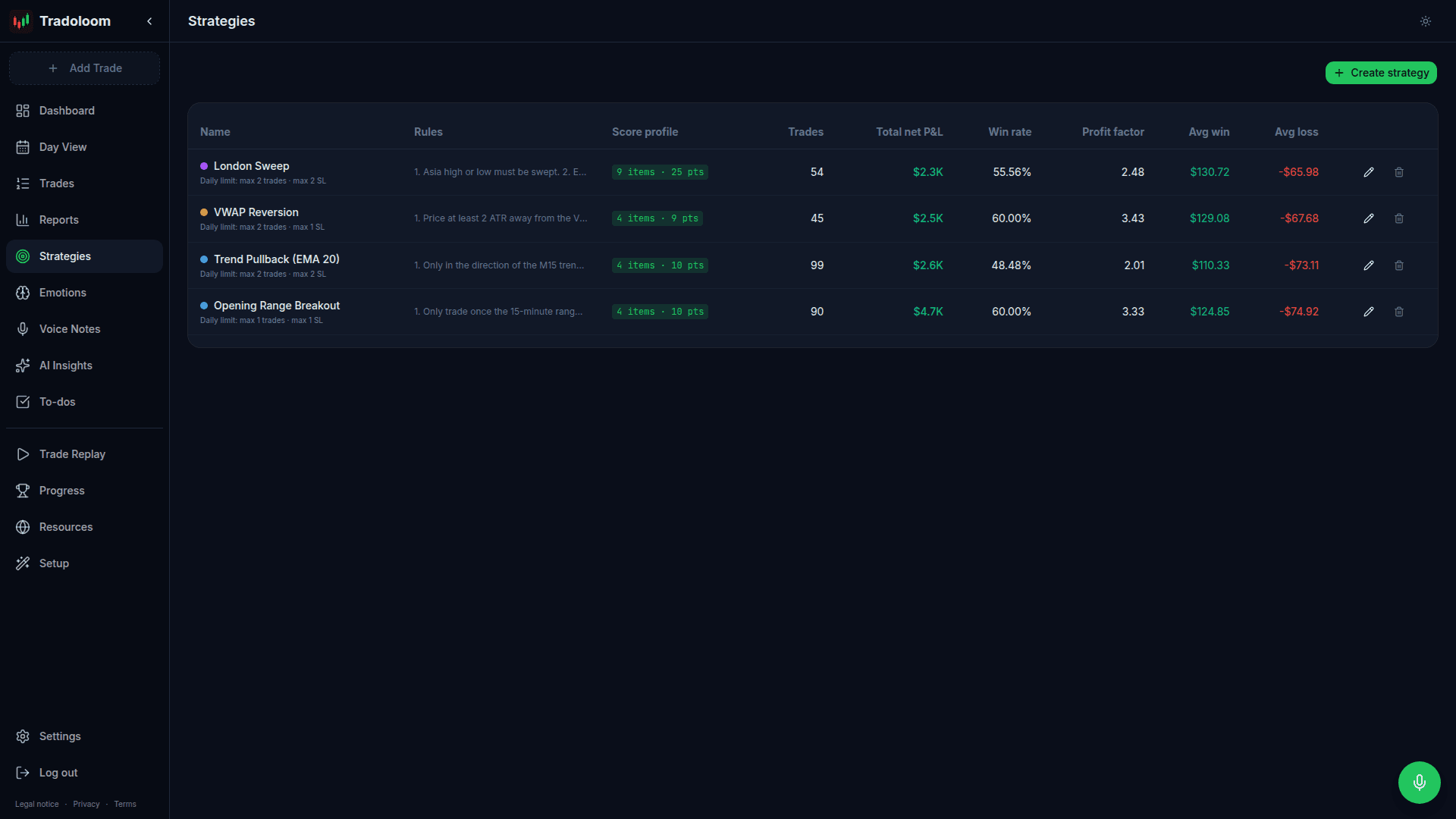
Strategies with rules, limits and your own checklist
For each strategy you set a description, rules and daily limits. The score profile is your own checklist with points, and every trade gets a setup score from it. You can also switch the checklist off. ICT traders get a ready-made template.
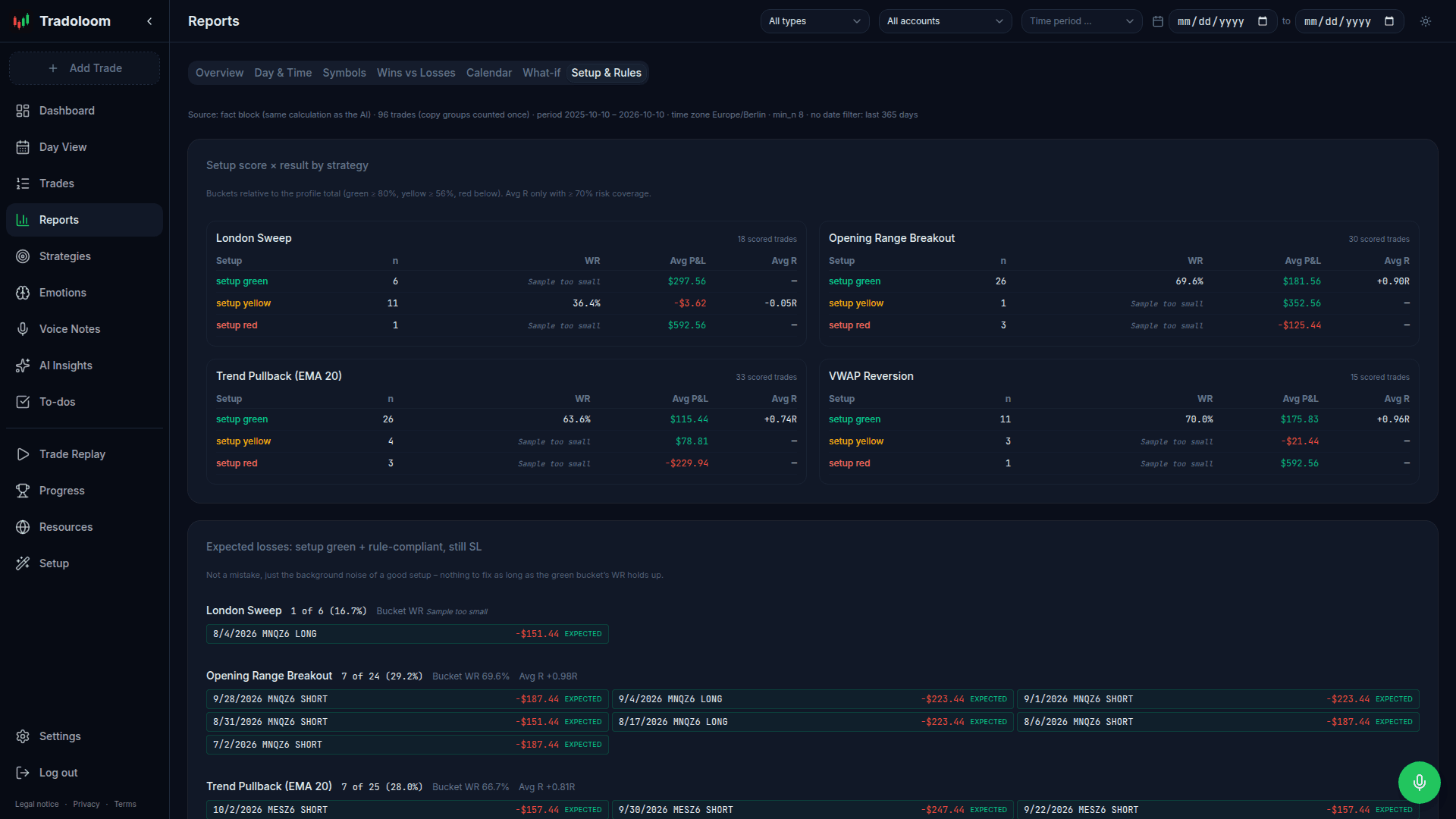
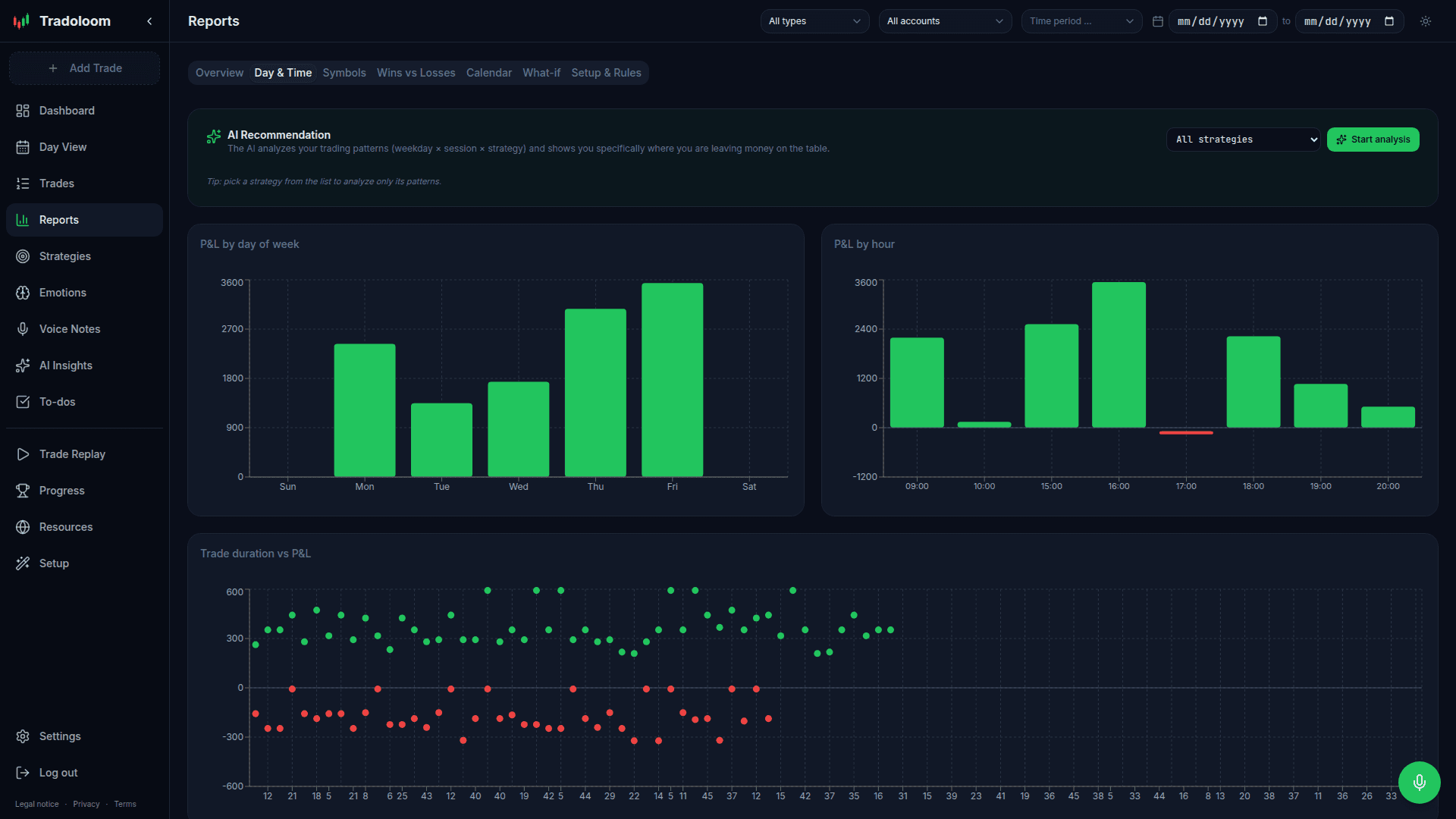
Seven reports, one of them for your rules
Overview, day & time, symbols, wins vs. losses, calendar, what-if and setup & rules. “Setup & rules” puts your checklist and your rule violations next to your results.
Emotions & mindset
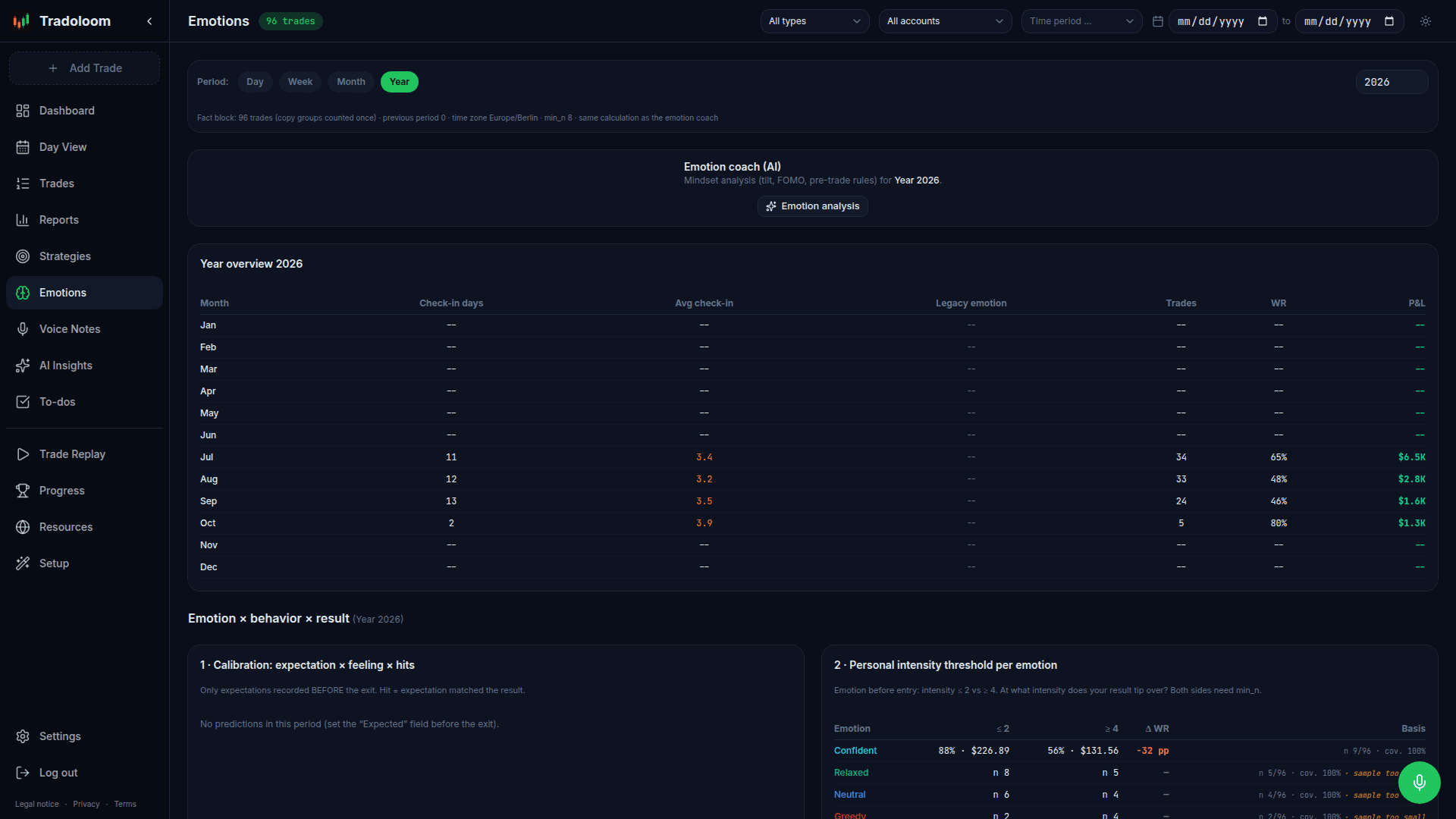
Emotions and check-in next to your results
Emotions with an intensity from 1 to 5 before, during and after every trade and a daily check-in with energy, calm, focus and your plan. The emotions page shows how your state relates to your results and whether your gut feeling matches your results.
AI coach
Analyses that know your plan
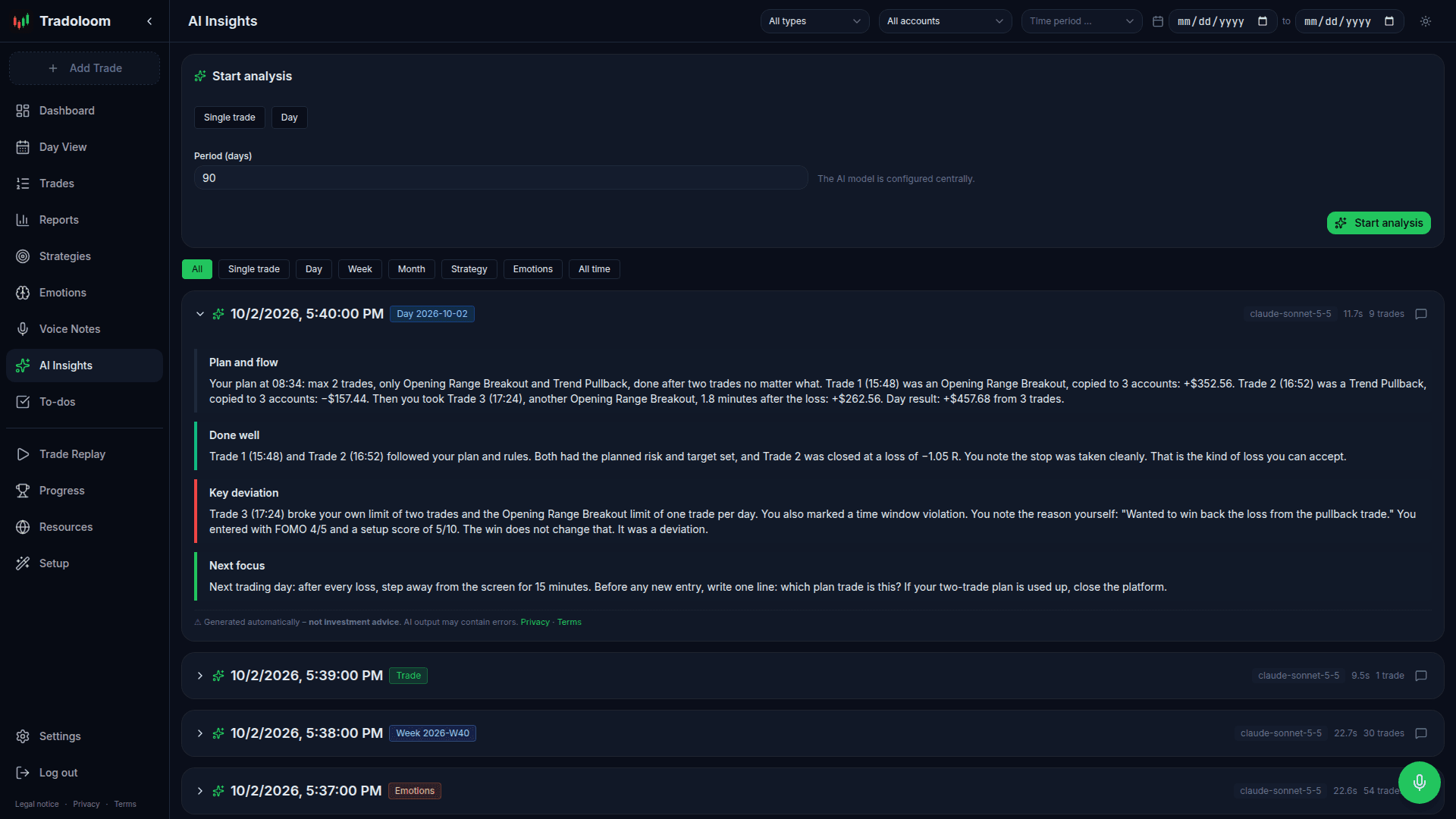
The AI coach reviews your trading day and single trades in four parts: plan and course, done well, most important deviation, next focus. On top come analyses for the week and for your emotions plus a pattern analysis. For single-trade analyses, the coach takes your chart screenshot into account if you uploaded one. For daily, trade and weekly reviews, the figures are inserted from your journal and checked, and you can ask follow-up questions in the AI chat. The coach recommends no trades and no position sizes. AI analyses can contain mistakes, and you can switch the AI off at any time. Starter includes 8 daily and 4 weekly analyses per month, Pro all analyses and the AI chat.
Journal & import
A journal for every trade
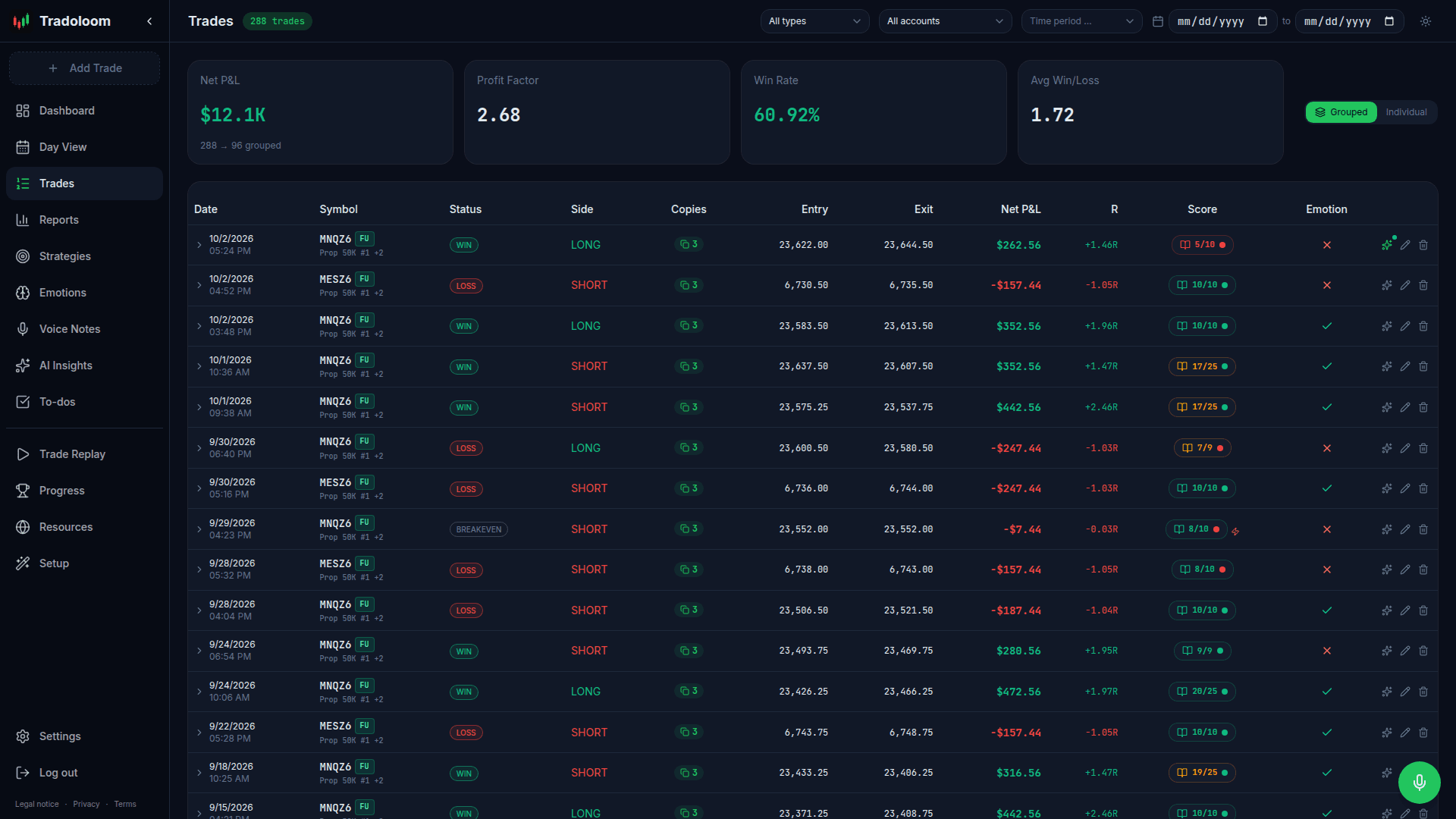
Expectation, risk, emotions, rules and deviations. Tradoloom calculates the risk from your stop and the R multiple from result and risk. With the voice journal you speak your notes. Autofill transcribes them, pre-fills the fields and suggests the matching trade, and you review the draft.
Import your trades
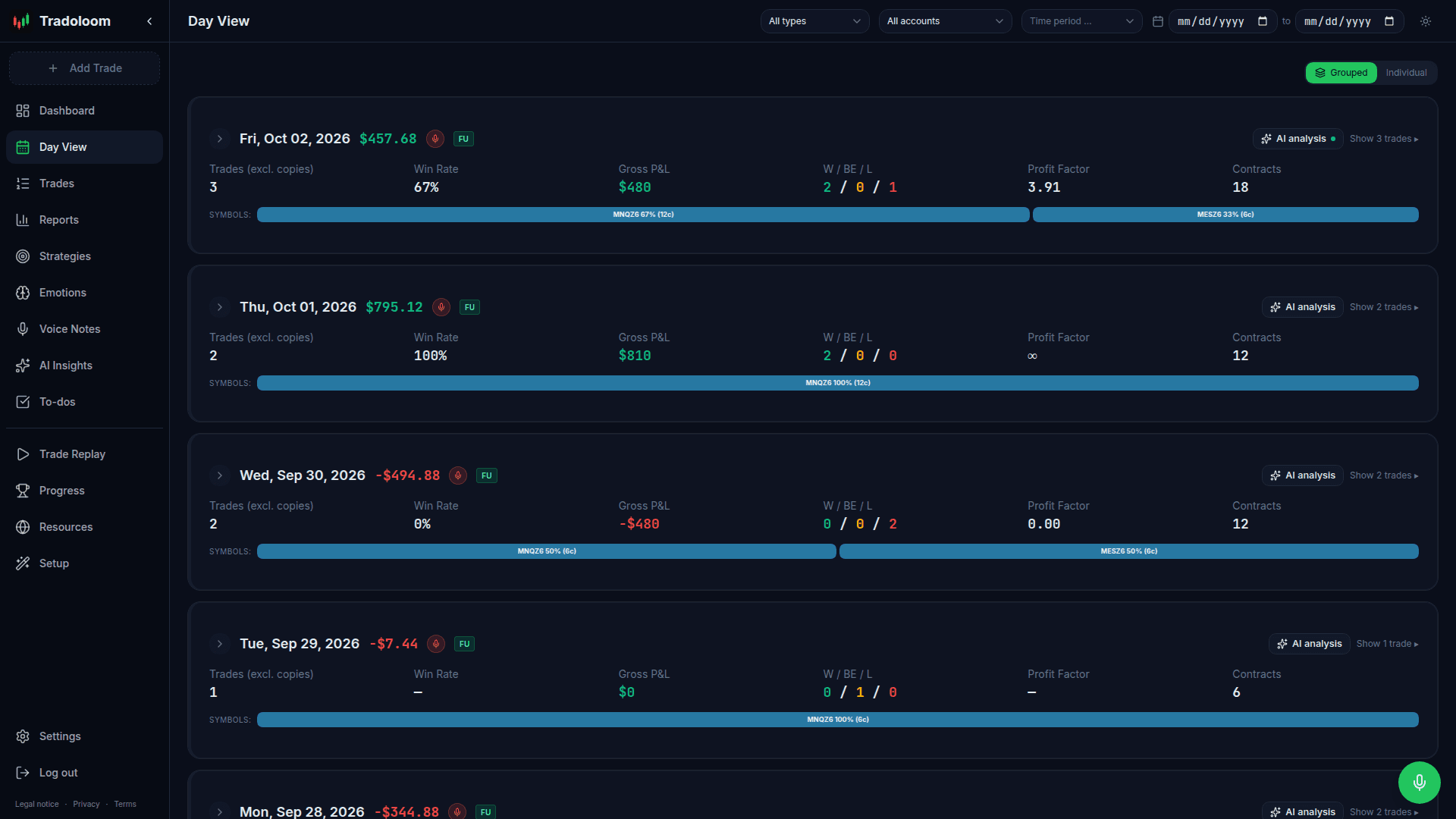
Tradovate via the orders report, including stop and target. There are templates for NinjaTrader 8, Rithmic and TopstepX, and for other brokers you map the CSV columns once yourself. With the iPhone app (in preparation) you sync Tradovate at the push of a button or automatically in the evening, and your Tradovate credentials stay on your iPhone. Tradoloom detects the file’s time zone and assigns trades to the sessions in exchange time.
Copy trades and prop limits
You copy the same setup to several prop accounts? Tradoloom combines the copies into one journal entry while the fills per account stay visible. You decide with an amount per copy whether a copy counts as break-even. Daily loss, max drawdown (static or trailing), consistency and contract limit are set per account, with adjustable templates for common prop firms.
Analytics
Dashboard with daily limits and tilt risk
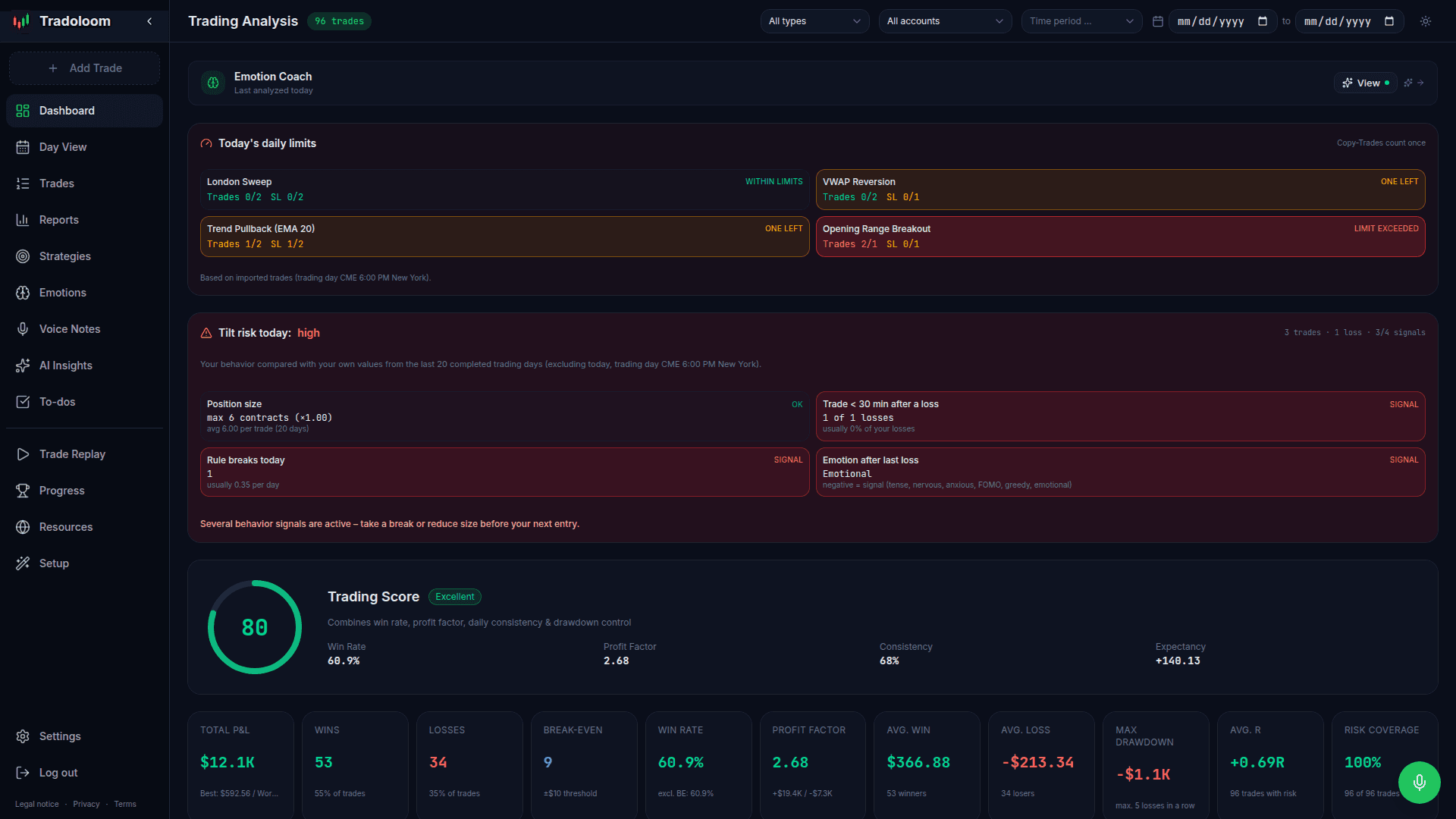
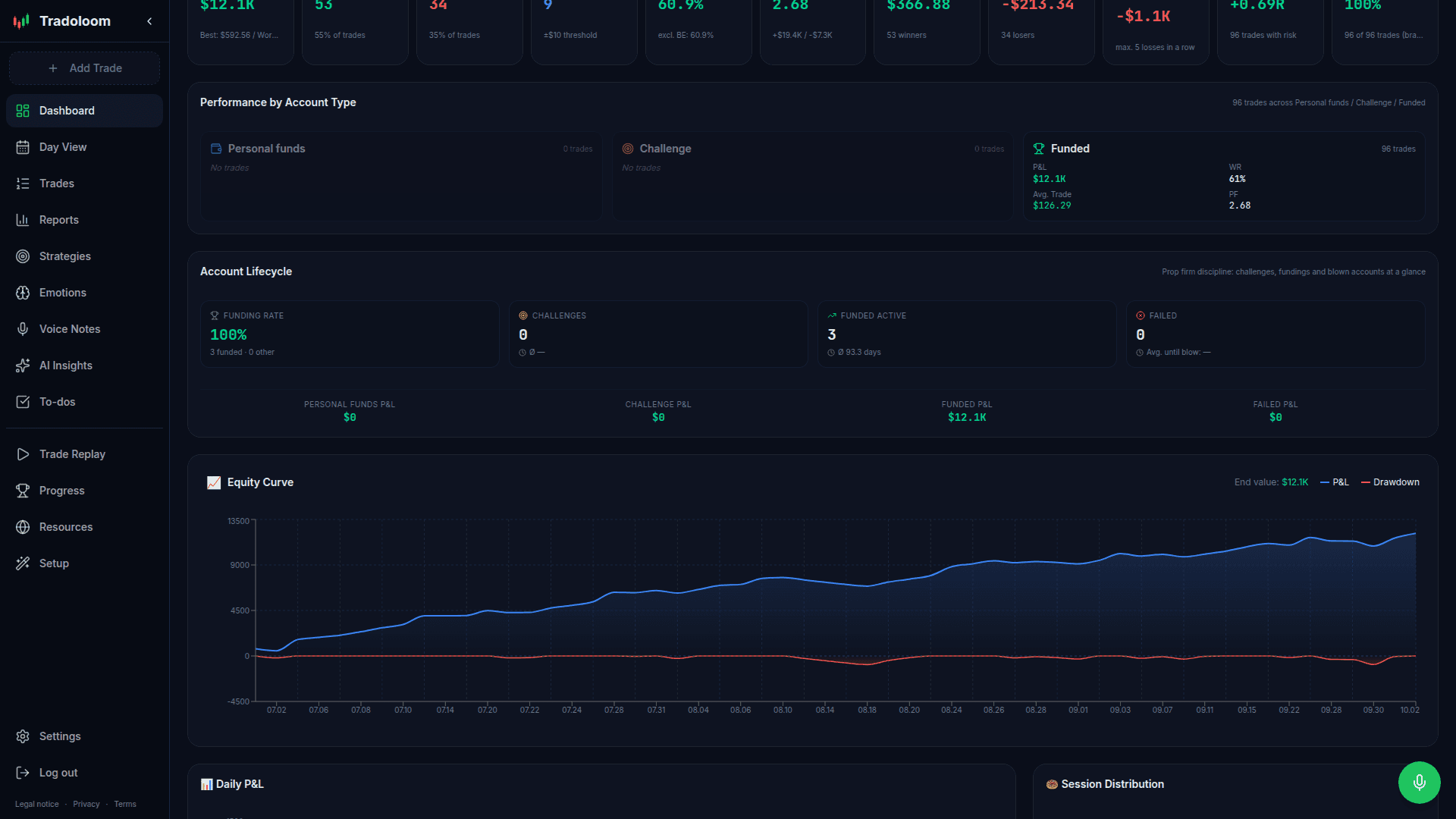
Trading score, equity curve with drawdown and 11 key figures at a glance. “Daily limits today” shows per strategy how many trades and losses your daily limit still allows (based on your imported trades). “Tilt risk today” compares your behaviour with your last 20 trading days and flags deviations. Filter by account, strategy and period.
Security, app & data
Secure sign-in, your data under your control
Sign in with a passkey, Apple or Google, plus two-factor authentication with an authenticator app and backup codes. The app runs in a data centre in Frankfurt. You can export your data at any time and delete your account yourself. AI processing can be switched off. We do not sell data.
Your journal on your iPhone
Today overview, voice note, check-in, trade journal and AI analyses. In the evening the app reminds you of trades without a journal entry. You can lock the app with Face ID.
Ready to trade your plan?
Create your account, enter your rules and see after your next trading days how consistently you follow them.
Try it free14 days free · no credit card on the web · web app · iPhone app in preparation
New accounts are approved individually.